


Yes, you can ask customers for Google reviews — Google even gives you a review link and a QR code to make it easy. Keep the ask short and neutral after a real job, never trade discounts or five-star ratings for reviews, and reply to whatever comes back. Google treats incentives for reviews as fake engagement.
Last checked against Google Business Profile Help and the Maps content policy: 6 Nov 2026.
What Google allows (and forbids)
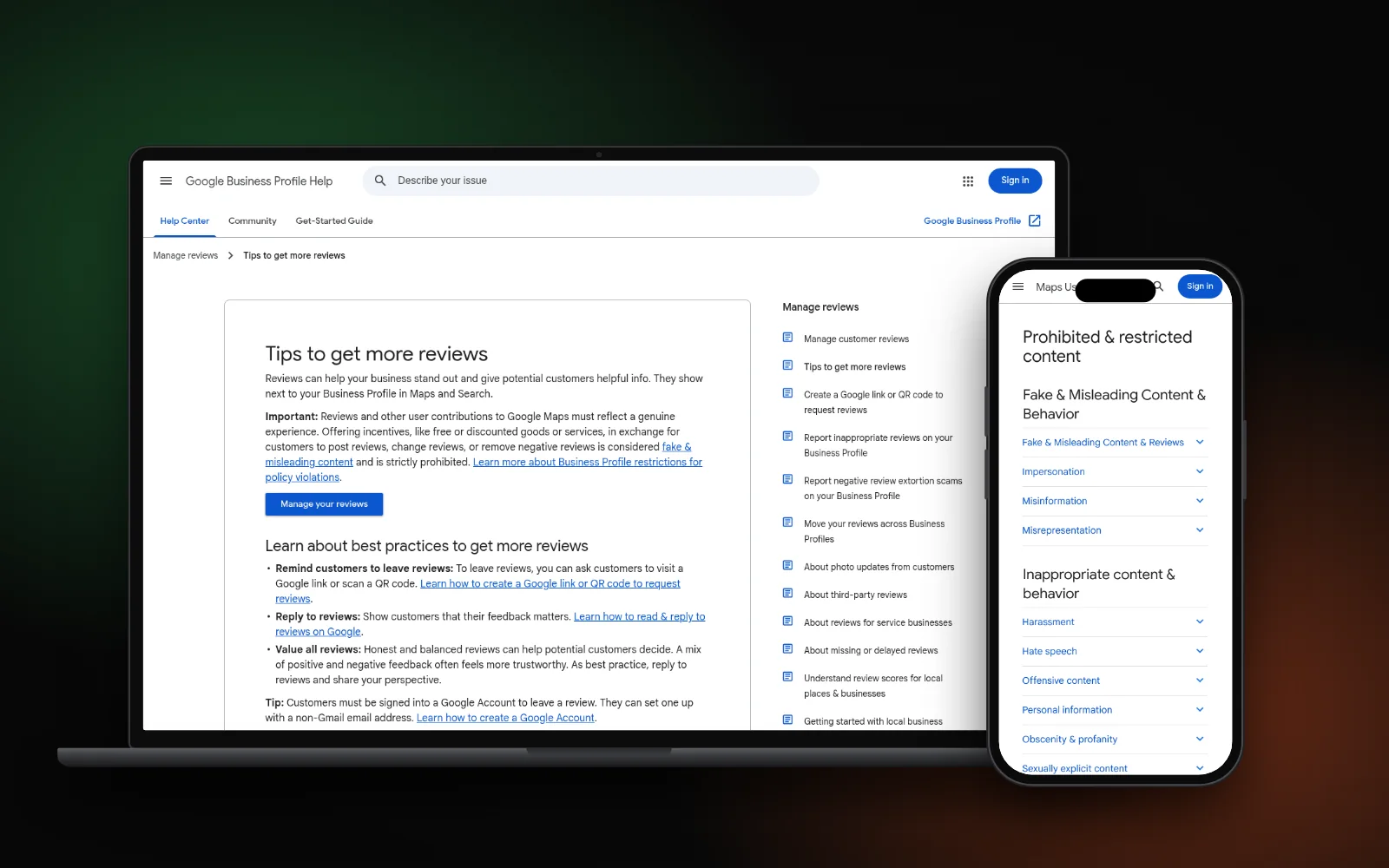
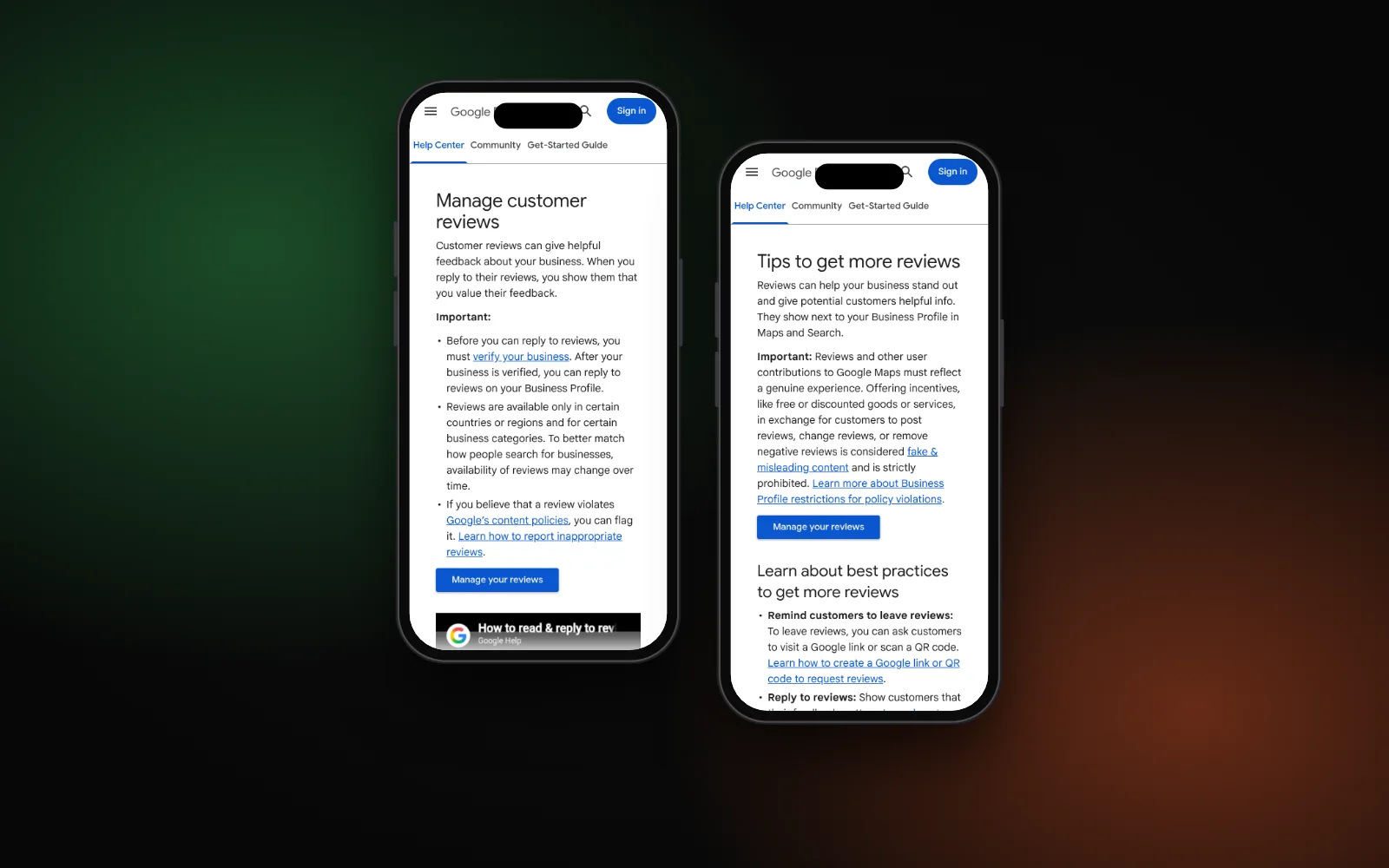
Google’s tips to get more reviews say you can remind customers to leave reviews with a Google link or QR code, and that you should reply and value every review — a mix of positive and negative often feels more trustworthy.
The Maps user-generated content policy draws a hard line. Merchants may solicit genuine experiences without incentives or trying to steer the rating or wording. Merchants may not:
- Offer payment, discounts, free goods or services for posting a review, changing one, or removing a negative one
- Selectively solicit only positive reviews, or discourage negative ones
- Pressure customers on the premises, demand a certain number of reviews from staff, or ask for specific wording (including naming a staff member)
That same ban appears on Google’s review-link help page and its tips page: incentives for reviews are treated as fake engagement. If a review later turns out to be fake or abusive, use our guide to report and remove fake Google reviews — don’t try to bury it with paid five-stars.
Get your review link or QR code
Google’s help page on creating a Google link or QR code to request reviews walks through the steps on a computer:
- Open your Business Profile.
- Select Read reviews, then Get more reviews.
- Copy the review link, or right-click the QR code and choose Save image as….
Google notes that review QR codes can only be generated on a computer browser, not on mobile. You need owner or manager access to open the profile tools — see owner vs manager if you’re not sure who can do this. Test the link once so it lands on the right location.
When and how to ask
Ask after the job is done and any open issue is closed — not while someone is still waiting for a fix. Google suggests putting the link or QR where the customer already looks:
- On receipts or invoices
- In a short thank-you email or SMS
- At the end of a chat, WhatsApp or Facebook message
- Printed and displayed in store (QR), without standing over the customer
One calm ask is enough. Save the link in your SMS, email or invoice template so every completed job gets the same neutral request. For service businesses (plumbers, dentists, contractors), a same-day or next-day follow-up after a finished visit works better than a cold blast weeks later. Dentists and other practices that lean on reviews can pair this with getting more dental patients from Google; if your profile isn’t showing on the map at all, fix that first with why your business isn’t showing on Google Maps.
Customers must be signed into a Google Account to leave a review. Google notes they can create one with a non-Gmail address, so a missing Gmail account is not a reason to skip the ask.
Sample wording that stays safe
Keep it short, thank them, ask for an honest review, and paste the link. Do not mention stars, discounts or “only if you were happy.”
- SMS: “Hi [Name], thanks for choosing [Business]. If you have a minute, we’d appreciate your honest Google review: [link].”
- Email: “Thanks again for working with us. Your honest feedback on Google helps other customers decide — here’s our review link: [link].”
- In person / receipt: “If you’d like to share your experience, the QR code on your receipt opens our Google review page.”
When replies come in, answer them. Google’s manage customer reviews page says replies are public, the reviewer is notified, and they can still edit their review afterwards. For a first draft of a reply (that you still check before posting), our ChatGPT prompts for small business owners include a review-reply angle — never paste private customer details into a chatbot.
What never to do
- Don’t offer a discount, gift or free job for a review. Google calls that fake engagement, including when the “reward” is for removing or changing a negative review.
- Don’t ask only happy customers. Selectively soliciting positive reviews is banned in the Maps policy.
- Don’t request five stars or scripted wording. Ask for an honest experience, not a rating.
- Don’t pressure people on site while staff watch them leave a review.
- Don’t ignore replies. Google’s tips say to reply and share your perspective, including on critical reviews.
Reviews sit inside a wider local plan — our local SEO checklist shows where they fit next to your profile, NAP and service pages.
Need a hand?
If your profile, reviews or map visibility need a clean-up, our Google Business Profile service can help you stay inside Google’s rules. Or start with the free Search Gap check to see how you show up on Google, Maps and AI answers. We typically reply within 1–2 business days.