


To get more dental patients from Google, win the map results and make the next step easy. That means the right primary category on your Business Profile, a page for each treatment you want more of, a steady flow of genuine reviews, and a phone number or booking button patients can tap straight away. Ads can fill short-term gaps, but they don’t lift your free rankings.
Last checked against Google Business Profile Help and Maps policies: 29 Oct 2026.
How Google decides which dentists to show
Google’s local ranking help page says local results are mainly based on relevance, distance and prominence. Prominence includes how many websites link to you and how many reviews you have. Google also says there’s no way to request or pay for a better local ranking.
You can’t move your practice closer to every patient, so the eight ways below focus on relevance, prominence and what happens after someone finds you.
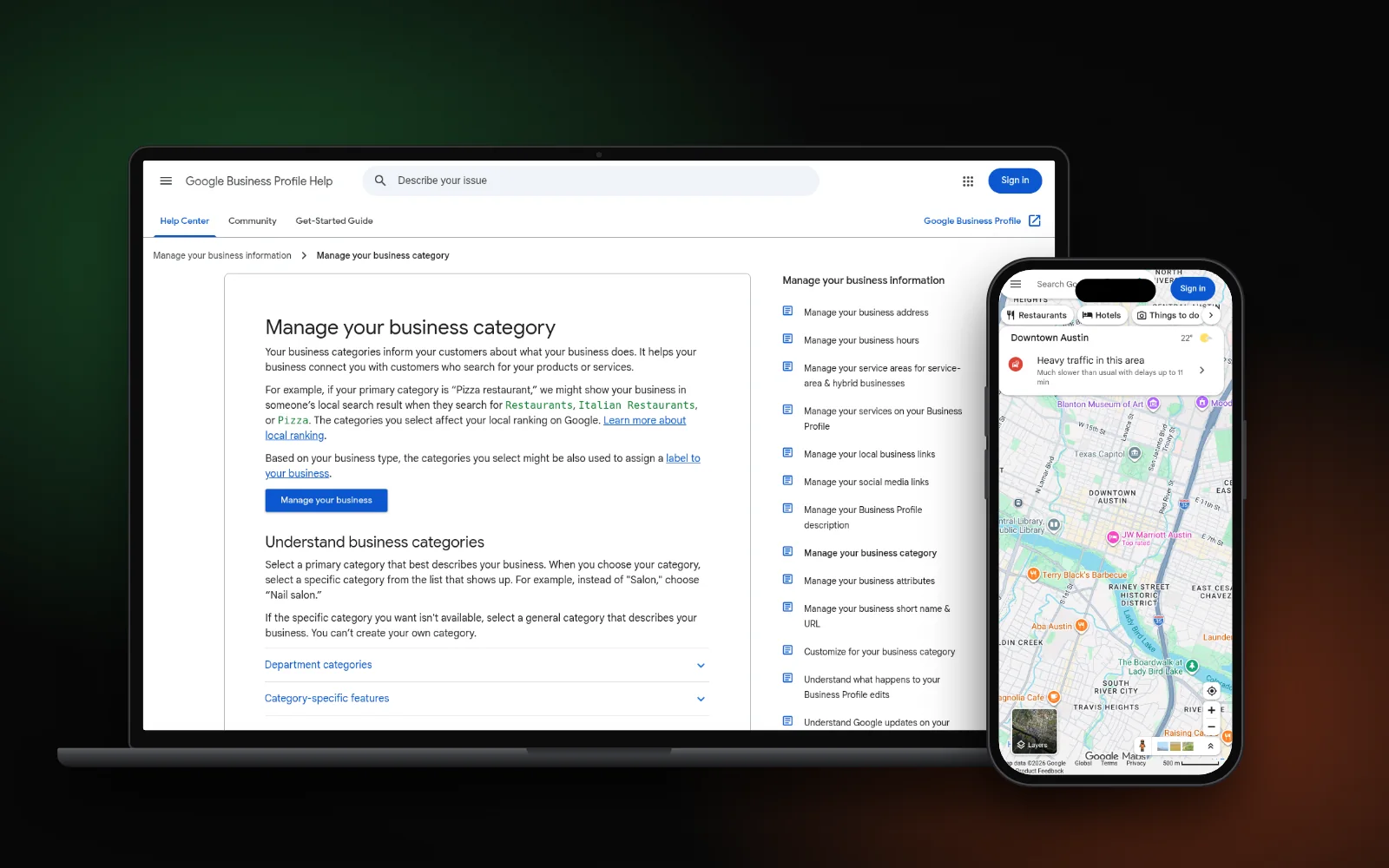
1. Choose Dentist as your primary category
Google’s category help page says your categories affect your local ranking and asks you to pick the most specific primary category that fits. For a general practice that’s usually Dentist. Add only a few extra categories for services you really offer, such as Cosmetic dentist or Emergency dental service, not one for every treatment.
Google’s Business Profile guidelines also treat dentists as individual practitioners. Where several dentists see patients at one location, the practice has its own profile and each dentist’s profile uses only their name. A solo dentist at a branded practice should share one profile with the practice instead.
2. Treatment pages do most of the dental SEO work
Patients rarely search for “dentist” alone. They search for implants, a broken tooth, aligners or a child’s first check-up. Give each treatment you want more of its own page that answers:
- What it is and who it suits
- How many visits it takes
- Typical costs, or how you quote them
- Who does it, with their real qualifications
- How to book, with the phone number near the top
A single “Services” page listing twenty treatments gives Google little to match. The same idea works for any trade, as our plumbing website SEO guide shows.
3. Ask every patient for a review
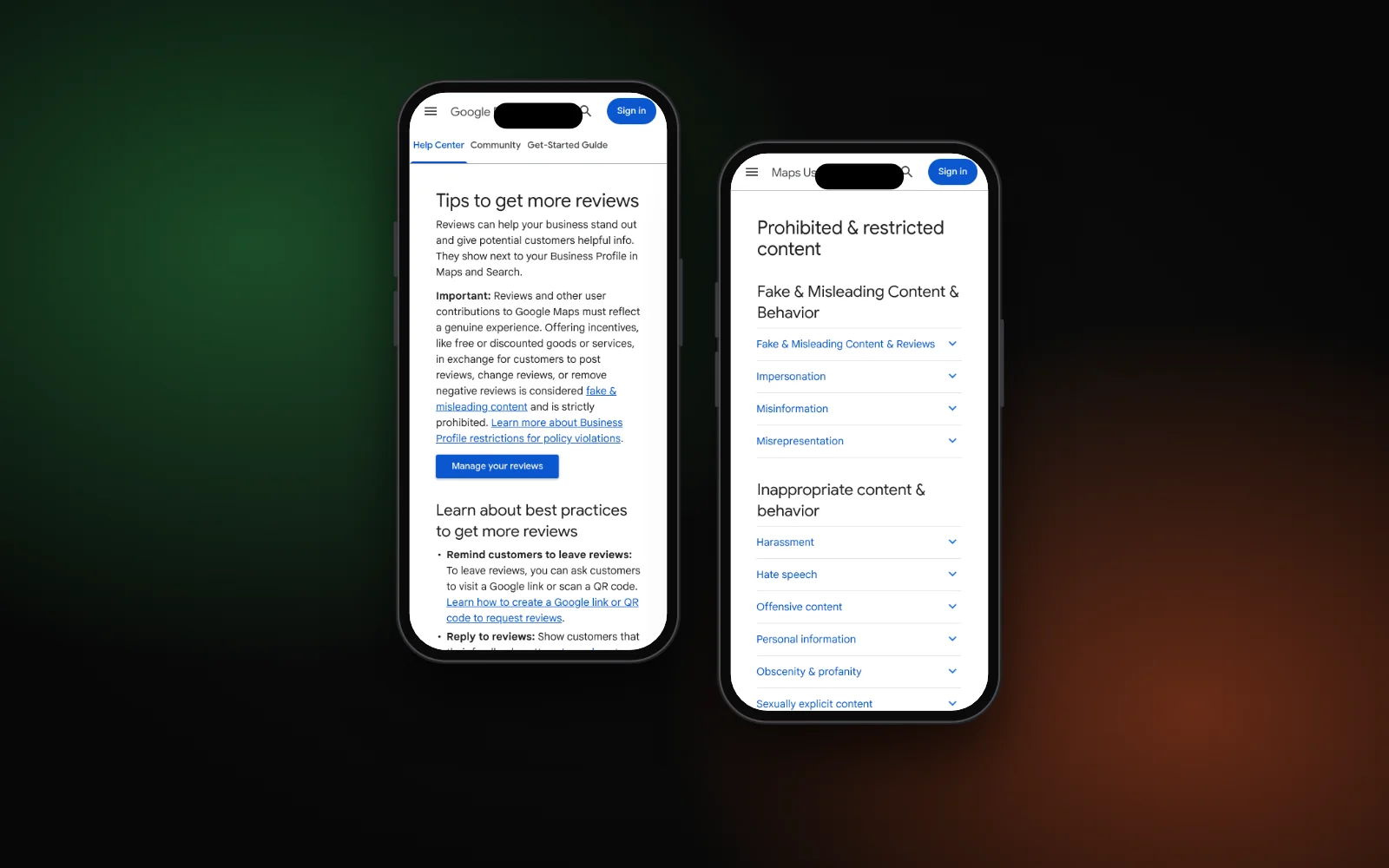
Reviews feed prominence and help nervous patients choose. Google’s tips to get more reviews suggest sending patients a review link or QR code, which you can create from your profile. For the safe wording and channels, see how to ask for Google reviews.
Stay inside the Maps content policy. It says businesses must not:
- offer discounts, free treatment or payment for a review
- ask only happy patients (selective soliciting)
- pressure patients to review while they’re still at the practice
- ask for specific content, such as a staff member’s name
The simplest compliant habit is to send every patient the same short message with the link after their visit. If a review looks fake, here’s how to report and remove fake Google reviews.
4. Reply to reviews without confirming who is a patient
Google’s review tips say never to share a reviewer’s private information. For dentists this matters more than for most businesses. In the US, the HHS Office for Civil Rights settled with New Vision Dental, which paid $23,000 after disclosing patients’ health information in its replies to online reviews.
Keep replies general. Thank people, don’t mention treatment, and invite anyone unhappy to call the practice. Other countries have their own patient privacy rules, so check yours before replying.
5. Keep your hours and holiday hours right
Google says complete and accurate details, including hours, make you more likely to show up. A patient with toothache who drives to a closed door won’t come back. Use Google’s special hours for holidays and short closures, and if you offer emergency appointments, say so on your profile and website in the same words.
6. Make calling or booking easy on a phone
A patient searching on a phone wants to call or book in one tap. Put a click-to-call number and a booking link in the top screen of your homepage and every treatment page. Google’s category page says health and beauty businesses can add a booking button, and you can connect a booking provider or add your own booking link.
If pages take an age to load on mobile data, patients leave before they see the number. Our guide to fixing a slow mobile website covers the usual causes.
7. Add Dentist schema to your contact page
Schema.org lists Dentist as a specific type of local business. Marking up your name, address, phone and hours with it helps Google read those details the same way they appear on your profile. Our guide to local business schema has a copy-paste example you can adapt.
8. Track calls and bookings before you buy ads
Add UTM tags to the website link on your Business Profile, such as utm_source=google and utm_medium=organic plus a campaign name, so visits from your profile show separately in Google Analytics. Your profile’s own performance view shows calls and website clicks too.
Once you know which treatments bring patients, ads can fill gaps, for example a new implant service. Judge them on booked patients, not clicks, and remember they don’t change where you appear in the free map results.
Where to start this week
Check your category and hours, pick the one treatment page you most need, and set up the review link. Then work through our local SEO checklist for the rest. If your practice doesn’t appear on the map at all, start with why a business isn’t showing on Google Maps.
Want this done for your practice? See our local SEO for dentists, or start with the free Search Gap check to see where you show up on Google, Maps and AI answers. We typically reply within 1–2 business days.