


Google removes a review only if it breaks Google’s content policy, not because it’s negative or unfair. If a review is fake, report it from your Business Profile, check the decision in the Reviews Management Tool, and use your one-time appeal if Google says no. If it still stays up, reply to it calmly so other customers can see your side.
Last checked against Google Business Profile Help and the Maps content policy: 31 Oct 2026.
Step 1: Check if the review breaks a policy
Google’s help page on reporting reviews says you can report any review, but “only those that violate Google policies are eligible for removal.” So before you report, match the review to a rule in the Maps content policy.
Google may remove it if it’s:
- Fake engagement. Not based on a real experience, paid for, or posted from several accounts by one person.
- A conflict of interest. The policy names current or former employees, competitors and family members.
- Posted to hurt a competitor. Content posted “to undermine that business’ or product’s reputation” isn’t allowed.
- Off-limits content. Harassment, hate speech, profanity, personal information, or unsupported claims of criminal wrongdoing.
Google won’t remove it just because:
- you disagree with it or think the star rating is harsh
- it describes a real bad experience, even a rude one
- you can’t find the person in your records (that alone isn’t proof it’s fake)
Google is clear on this: “Google doesn’t get involved in conflict between businesses and customers.” If the review is a real customer’s honest complaint, skip to Step 6.
Step 2: Report the review from your profile
These steps are for owners and managers of the profile. Our guide to owner vs manager access explains the roles. Then, as Google’s help page sets out:
- Go to your Business Profile.
- Select Read reviews.
- Next to the review, select Report.
- Choose the reason that fits, such as “Spam” or “Profanity”.
- Select Send report.
Pick the reason that matches the rule you found in Step 1. You can also report the reviewer’s whole profile from the Google Maps app if it posts other policy-breaking content.
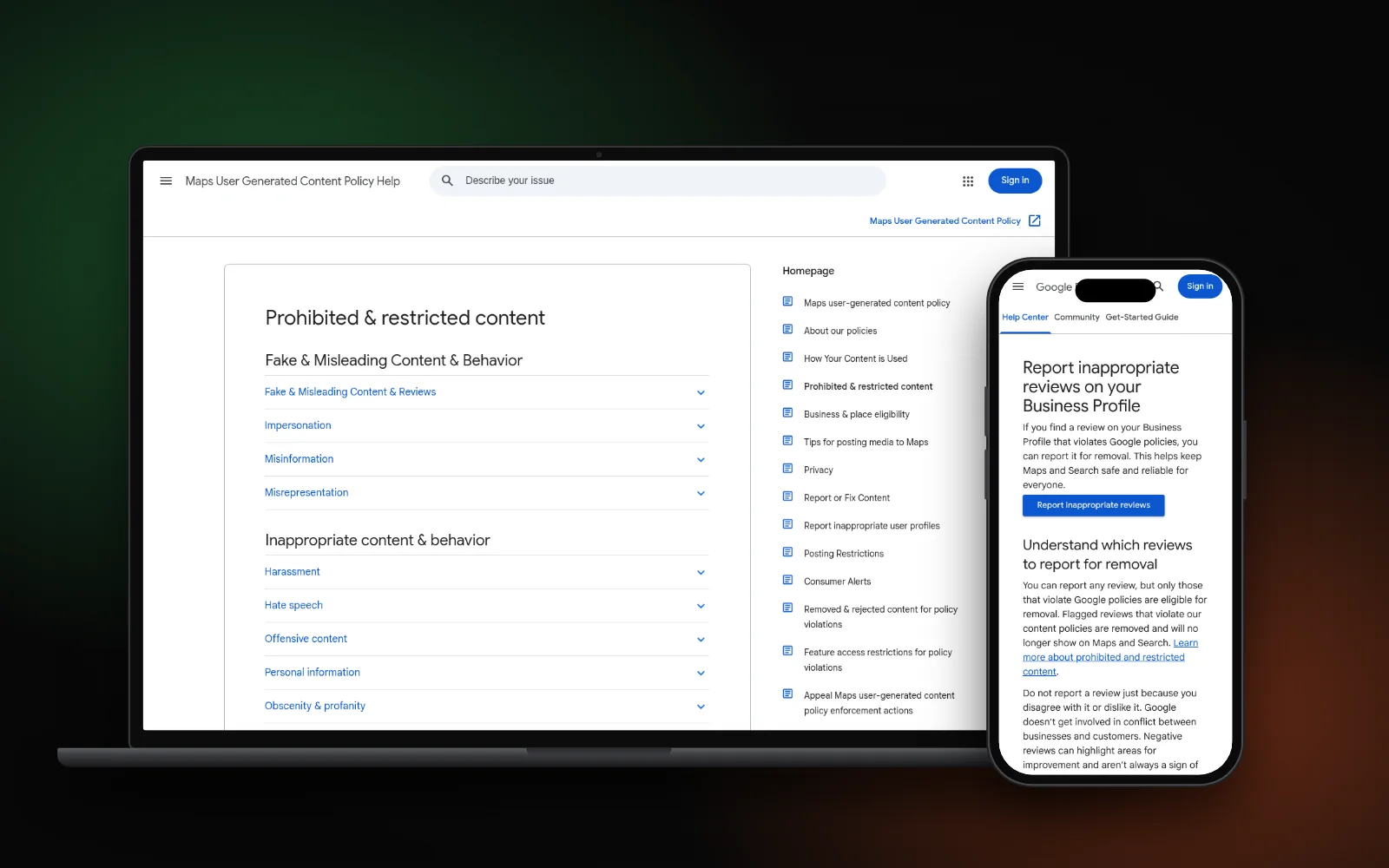
Step 3: Check the decision in the Reviews Management Tool
Google says “review evaluation typically takes several days.” You can follow your report in the Reviews Management Tool, which shows one of three statuses:
- Decision pending: flagged, not yet checked.
- Report reviewed – no policy violation: Google checked it and is leaving it up.
- Escalated – check your email for updates: your appeal is with Google, and the final answer comes by email.
Google also runs automated spam detection, so some fake reviews disappear without a report. Its page on missing or delayed reviews adds that reviews removed for policy violations “won’t be restored.”
Step 4: Use your one-time appeal carefully
If the status says no policy violation and you still believe it breaks a rule, you get one appeal. In the Reviews Management Tool:
- Choose to check the status of a review you reported before.
- Select Appeal eligible reviews. You can pick up to 10 reviews.
- Fill in the form and submit it.
Because it’s one-time, make it count. Name the policy the review breaks and explain why in plain words. For example: the reviewer is a former employee, or describes a service you don’t offer. If Google agrees, the review is removed. If not, it stays live.
Step 5: Use the separate routes for extortion and legal issues
Two situations have their own forms:
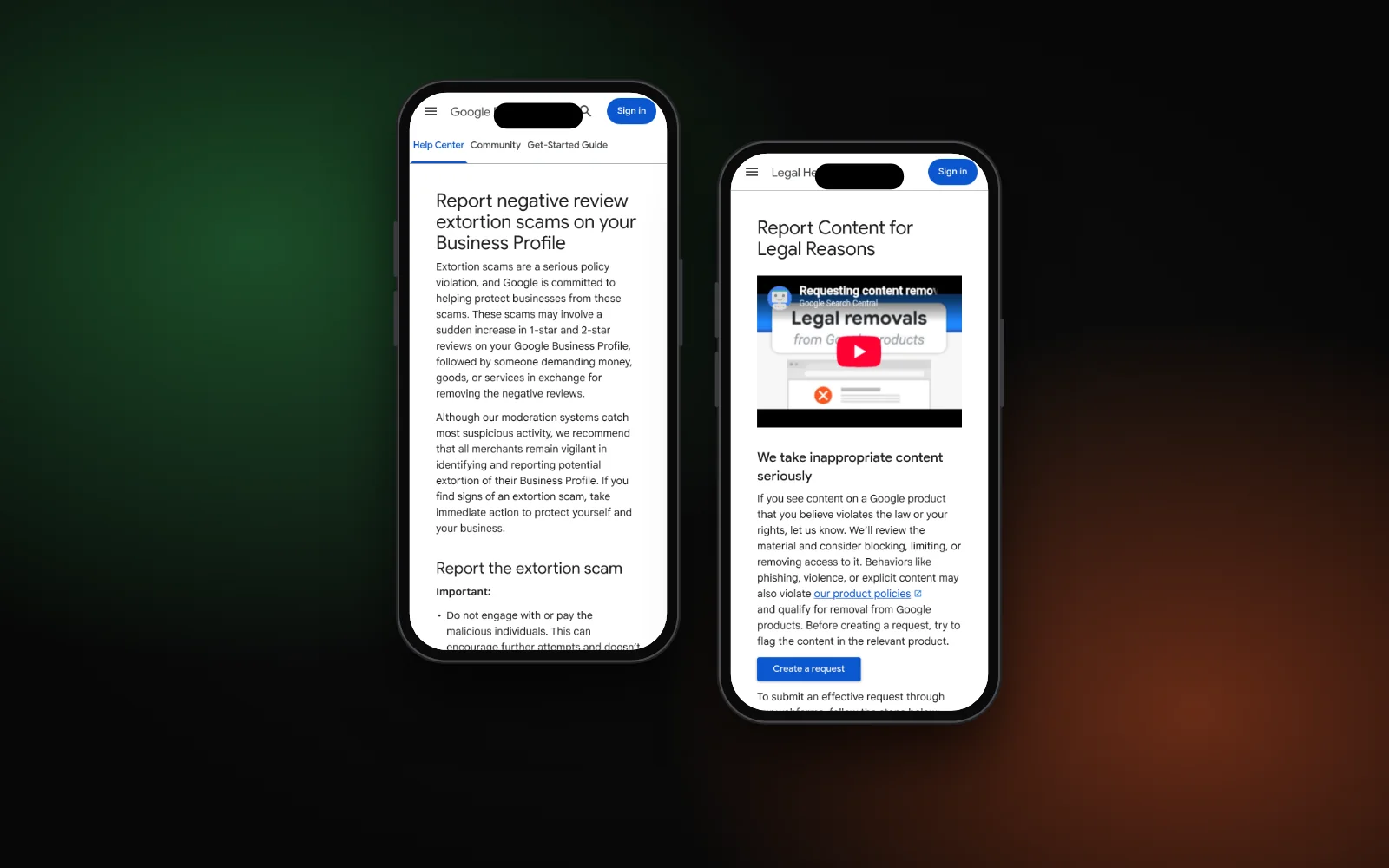
- Review extortion. Google describes a sudden wave of 1-star and 2-star reviews, then a demand for money to remove them. Its extortion help page says not to engage with or pay them. Save screenshots of every message, then use the merchant extortion report form.
- Legal problems, such as defamation. Google’s Report Content for Legal Reasons page lets you file a legal request. Google asks you to flag the content in the product first. We can’t give legal advice, so speak to a lawyer if you’re unsure.
If your whole profile is under attack, with fake edits and not just reviews, see how to recover a hacked Google Business Profile.
What not to do
Some common reactions make things worse or break Google’s rules themselves:
- Don’t offer anything to have a review removed. The Maps policy bans offering payment, discounts or free services “in exchange for posting any review or revision or removal of a negative review.”
- Don’t bury it with fake 5-star reviews. The same policy bans fake and paid reviews, and Google says they will be removed.
- Don’t trust a service that promises removal. Only Google decides, and only for reviews that break its policies.
- Don’t argue in public. A long, angry reply looks worse to new customers than the review does.
Step 6: If the review stays, reply to it
A short, calm reply is often the best fix you have left. Google’s page on managing customer reviews says the reviewer is notified when you reply, and they can still change their review afterwards.
- Thank them and say you can’t find a record of their visit, without accusing anyone.
- Invite them to contact you directly to sort it out.
- Never share any customer’s private details.
Then keep collecting genuine reviews. Google’s tips to get more reviews suggest sharing a review link or QR code with every customer — see how to ask for Google reviews without breaking the rules. A steady flow of real reviews matters more than one bad one. Our local SEO checklist shows where reviews fit in your wider plan.
Need a hand?
If fake reviews keep coming or your profile has other problems, our Google Business Profile service can help you sort it out by the book. Or start with the free Search Gap check to see how you show up on Google, Maps and AI answers. We typically reply within 1–2 business days.