


To fix local citations and NAP errors, make your own website the master copy of your business name, address and phone number, then correct the listings that disagree with it, starting with Google, Bing and Apple. Fix wrong and duplicate listings before you add new ones. You don’t need to pay for hundreds of directory submissions.
Last checked against Google Business Profile Help, Apple Business and Bing Places: 4 Nov 2026.
What citations and NAP mean
A local citation is any online listing or mention of your business details: your Google Business Profile, Bing and Apple Maps listings, Yelp, Facebook, trade directories and local chamber pages. NAP stands for name, address and phone number, the three details these listings should agree on.
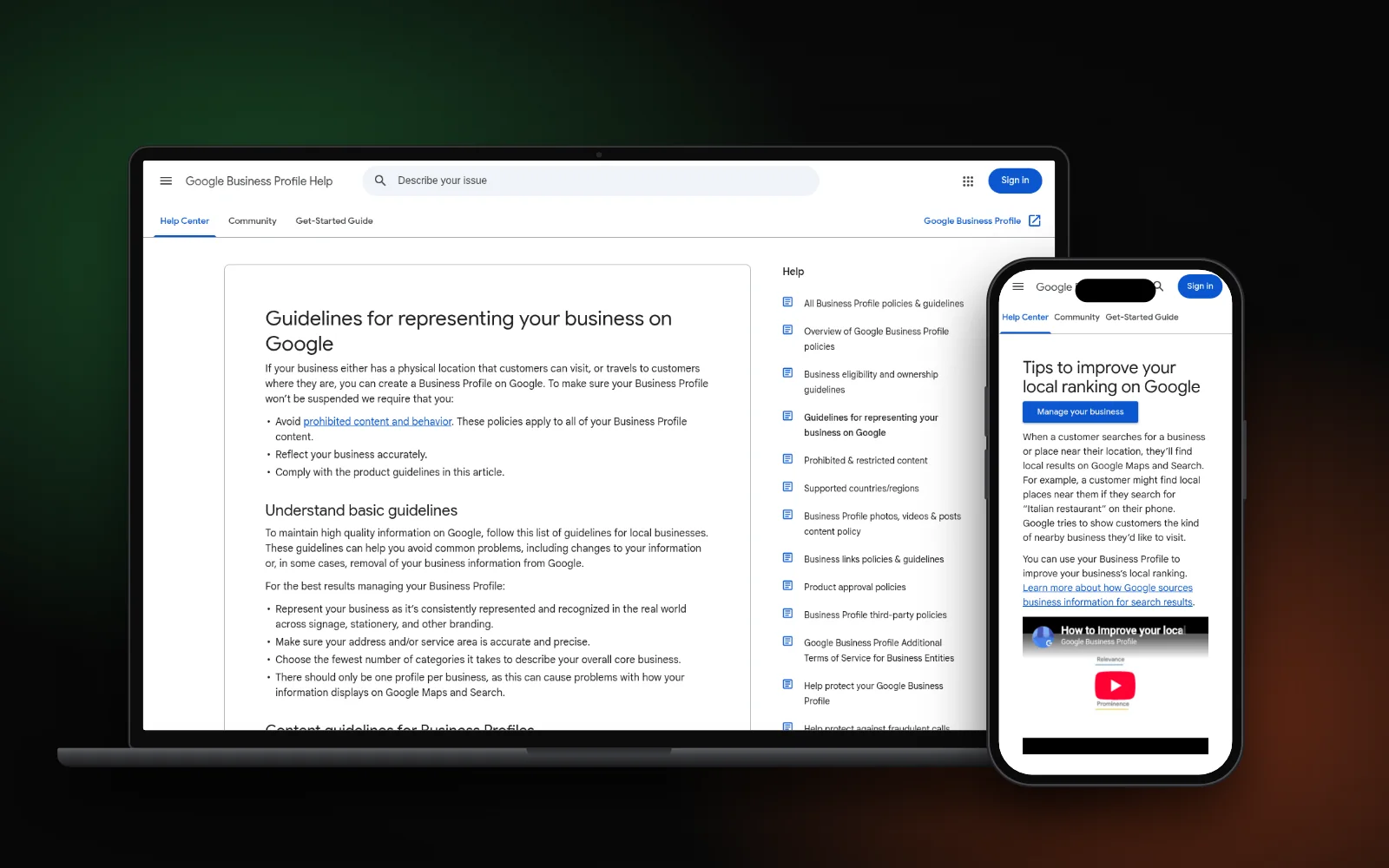
Why it matters: Google says it builds business profiles from “a variety of sources”, including “crawled web content (e.g., information from a business’ official website)” and “licensed data from third parties”. If those sources disagree, the wrong version can end up on your profile. And Google’s local ranking tips say businesses with “complete and accurate info are more likely to show up in local search results.”
Common NAP errors:
- An old address or phone number from before a move
- A call-tracking or personal mobile number on some sites
- Name variations, such as “Ltd” on one site and keywords stuffed in on another
- Two listings for the same business on one platform
Step 1: Fix your own website first
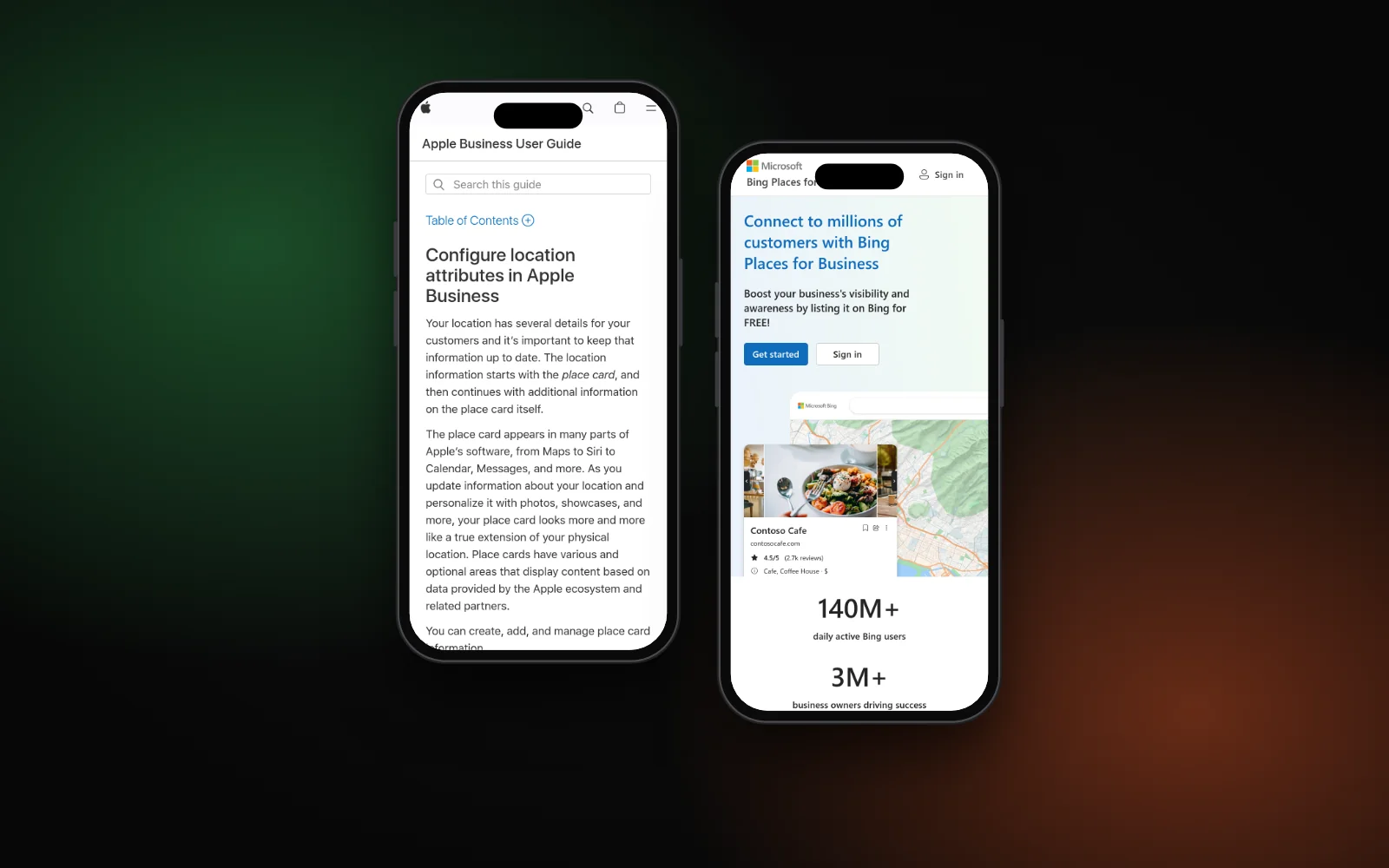
Your website is the source other listings and data providers can check against. Apple’s location guidelines even say the address on Apple Maps should be “the address officially listed on your website”. So get this right before touching any directory:
- Pick one exact version of your name, address and phone. Write it down and use it everywhere.
- Use your real-world name. Google’s guidelines say your name should match how it’s “used consistently on your storefront, website, stationery, and as known to customers”. No added keywords or locations.
- Show it as text, not just an image, in your footer and on your contact page, so search engines can read it.
- Add local business schema that matches the visible details. See our guide to local business schema.
Service-area business with no storefront? Google says to hide your address on your profile, so don’t publish a home address in directories either. Keep the name and phone consistent and list your service area instead.
Step 2: Find wrong and duplicate listings
You can do a basic local listing audit in an afternoon with a spreadsheet and a search engine. No paid tool is needed to start:
- Search your business name plus your town on Google and Bing. Note every listing on the first few pages.
- Search each old phone number and old address in quotes. These searches find the listings that still show outdated details.
- Record each listing in a sheet: site, URL, name, address, phone, and whether you control it.
- Flag duplicates, meaning two listings for the same location on the same site.
Start with the listings people actually see: the ones on page one for your name, and the big platforms below.
Step 3: Correct the platforms that matter most
Work through these in order:
- Google Business Profile. Check every field against your master copy and edit your profile where needed. Google lets you review “collected info” in some regions, showing details it gathered and where they came from. Google allows only one profile per business; to merge a second one, follow Google’s duplicate profile steps or our guide to fixing a duplicate Google Business Profile.
- Bing Places. Claim your listing on Bing Places for Business and make it match. If Bing search or Maps still leave you out, see why your business isn’t showing on Bing Places.
- Apple Business (formerly Apple Business Connect). It controls your Apple Maps place card. Apple’s editing guide covers hours and the map pin; its location guidelines say the pin should sit “on top of the building, centered over your location”. If you can’t find your place card, see why your business isn’t showing on Apple Maps.
- Then the rest: Facebook, Yelp, your trade body and any directory that ranks for your name.
For listings you can’t claim, use the site’s “suggest an edit” or contact form. Google’s own help page says if a profile is inaccurate, “you can suggest an edit or flag it for removal.”
What not to bother with
- Mass directory submissions. Hundreds of low-quality listings won’t fix wrong data on the sites that matter. Google’s ranking tips name relevance, distance and prominence as the main factors, and prominence rests on things like links and reviews, not directory count.
- Chasing tiny format differences. “Street” vs “St” isn’t the problem. A wrong phone number or an old address is.
- Creating a new listing to get around an old one. Google’s guidelines say not to create more than one page for each location. Fix or merge the original.
- Keyword-stuffed names. Google says unnecessary information in your business name can lead to suspension.
Citations are hygiene, not a growth lever. Once they’re right, effort is better spent on reviews, service pages and your profile, as in our local SEO checklist. Accurate listings also help AI tools that pull from them; see how to rank in Perplexity as a local business.
When to re-check
Re-run your audit whenever your name, address or phone changes, and after any move. If your business has vanished from the map, start with why your business isn’t showing on Google Maps, since a wrong address or duplicate is often part of it.
Need a hand?
Citation clean-up is part of our local SEO service. To see where you show up on Google, Maps and AI answers, run the free Search Gap check. We typically reply within 1–2 business days.