


There is no special trick to show up in Google AI Overviews: Google says there are “no additional requirements” and no “special optimizations necessary”. A page has to be indexed and eligible to show a snippet, and then the same SEO basics decide whether it gets used. For a local business, that means a crawlable site that answers customer questions in plain text, matching Business Profile details, and no money spent on packages that promise AI Overview placements.
Last checked against Google Search Central and Google Business Profile Help: 11 Nov 2026.
What Google says about AI Overviews
Google’s page on AI features and your website is short and direct. The key lines:
- “There are no additional requirements to appear in AI Overviews or AI Mode, nor other special optimizations necessary.”
- To be shown as a supporting link, “a page must be indexed and eligible to be shown in Google Search with a snippet”. There are “no additional technical requirements”.
- Meeting every requirement still “doesn’t mean that Google will crawl, index, or serve its content”.
Google’s newer guide to optimizing for generative AI features goes further. It says AI Overviews and AI Mode are “rooted in our core Search ranking and quality systems”, and that optimizing for them “is optimizing for the search experience, and thus still SEO”. In other words, “AEO” and “GEO” are new labels for the same job.
Myth: you need “AI Overview optimisation”
Agencies now sell AI Overview packages with monthly reports and promised placements. Google’s guide answers this head on. It asks you to check any third-party “AEO” or “GEO” advice against its guidance on choosing SEO help, and warns that “no third-party tool has access to our internal ranking or AI systems”.
Nobody can book you a spot. If a seller guarantees you will appear in AI Overviews by a date, that is a promise Google itself does not make.
Myth: schema, llms.txt or chunked pages get you in
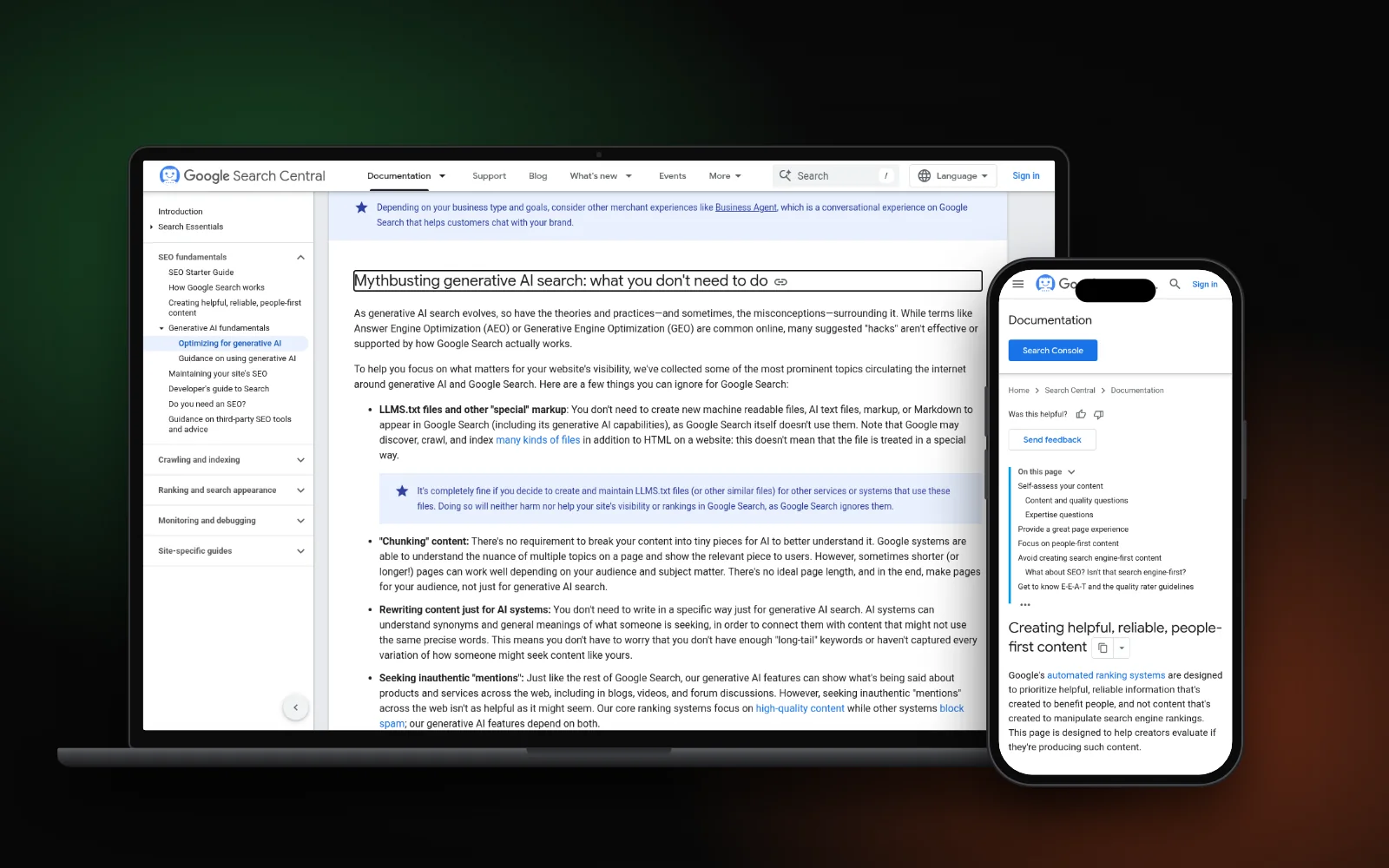
Google’s myth-busting list says you can ignore these for Google Search:
- llms.txt and other AI files. “You don’t need to create new machine readable files, AI text files, markup, or Markdown”, because Google Search does not use them. Our post on whether your site needs llms.txt covers the details.
- Special schema. Structured data “isn’t required for generative AI search, and there’s no special schema.org markup you need to add”. It still helps with rich results, so keep your local business schema accurate and matching the page.
- Chunking. There is “no requirement to break your content into tiny pieces”, and Google says there is no ideal page length.
- Fake mentions. Chasing inauthentic mentions across the web “isn’t as helpful as it might seem”.
Google also warns against making a separate page for every way a question might be asked. Doing that mainly to manipulate results breaks its scaled content abuse policy.
Myth: AI Overviews show for every search
They don’t. Google says AI Overviews “are only shown when our systems determine that it is additive to classic Search, and as such, often don’t trigger”. Many local searches, like a trade plus an area, still show the map pack and normal results instead.
Google also says AI Overviews and AI Mode may run a “query fan-out”: several related searches across subtopics, used to build one answer. A useful page on a narrow customer question can be picked up, even if it doesn’t rank first for the main search.
What actually helps a local business
Google’s AI features page lists the basics it still cares about. Here they are in the order most small businesses should tackle them:
- Let Google in. Make sure crawling is allowed “in robots.txt, and by any CDN or hosting infrastructure”. Security plugins and firewalls block Googlebot more often than owners realise.
- Get indexed. Check key pages with URL Inspection in Search Console. A page that isn’t indexed can’t be a supporting link.
- Put answers in text. Google asks that important content is “available in textual form”. Prices, service areas and hours inside images are easy to miss.
- Answer real questions. Write pages from your own work, not rewrites of other sites. Google’s guide to helpful, people-first content asks whether content offers “original information, reporting, research, or analysis”.
- Keep your Business Profile current. Google lists checking that “Business Profile information is up-to-date” among the AI best practices. Its local ranking help says complete, accurate info makes a business “more likely to show up in local search results”.
- Link your pages together. Google names internal links as a way to make content “easily findable”.
Want a fuller pass that also covers ChatGPT and Perplexity? Work through our AI visibility checklist. Google Business Profile data matters outside Google too; see whether ChatGPT uses your Business Profile.
How to see if you appear
Google says traffic from AI Overviews and AI Mode is counted in the Search Console Performance report, under the “Web” search type. Its newer guide also points to a Generative AI performance report in Search Console. Check both if your property shows them.
Then check by hand:
- Search five questions customers really ask you, in a private window.
- Note whether an AI Overview appears and whether your site is linked.
- Repeat monthly. Results change with location and wording, so treat one search as a snapshot, not a verdict.
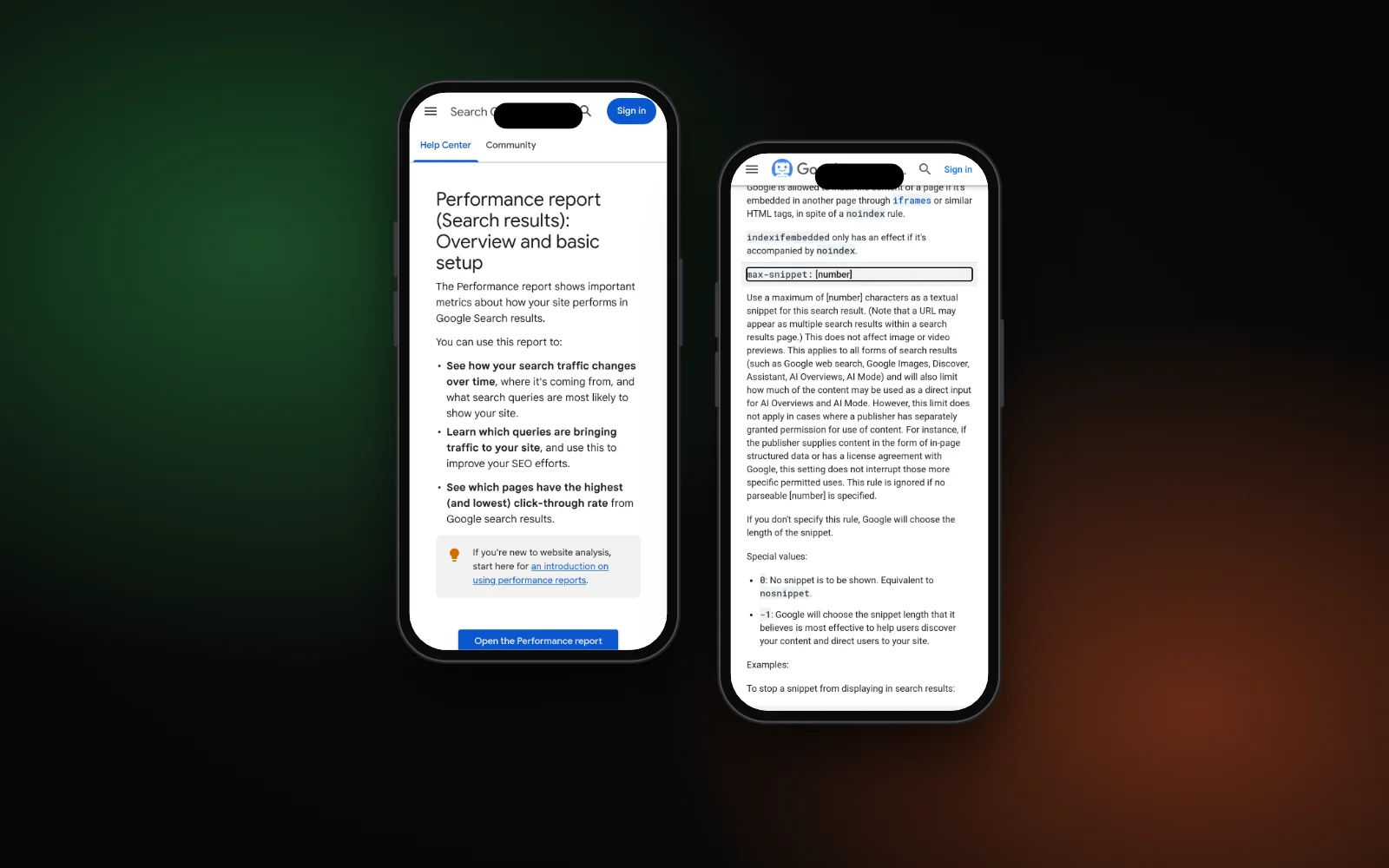
To keep a page out of AI Overviews, Google’s robots meta tag documentation says nosnippet also stops content being used “as a direct input for AI Overviews and AI Mode”. Most businesses want the opposite, so check no plugin has added it by mistake.
Need a hand?
Checking crawl access, indexing and how your pages answer customer questions is part of our AI search optimization service. To see where you show up on Google, Maps and AI answers first, run the free Search Gap check. We typically reply within 1–2 business days.