


Your business usually isn’t showing in ChatGPT for one of three reasons: OpenAI’s search crawler can’t reach your website, your site doesn’t say clearly what you do and where, or too few other websites mention you. OpenAI says ChatGPT ranks search results “using multiple factors” and that placement is not guaranteed, so nobody can promise you a spot. But the first two problems are on your own website, and you can usually fix them in an afternoon.
Last checked against OpenAI, Cloudflare and Google documentation: 26 Oct 2026. We haven’t run our own ChatGPT tests for this post.
Work through the steps in order. Step 1 tells you whether you have a problem at all, and steps 2 and 3 fix the most common technical causes.
Step 1: Ask ChatGPT what your customers ask
Don’t type your business name. ChatGPT will describe you if you name yourself, which tells you nothing about whether it recommends you. Ask what a new customer would ask:
- Use their words and your town: “emergency plumber in Leeds”, not “Smith & Sons Plumbing”.
- Make sure the answer uses web search. OpenAI’s search help page says ChatGPT searches automatically when a question needs current information, and you can also pick Search from the tools menu.
- Open the Sources list and note which websites were cited.
- Ask two or three times in new chats. Answers change from one run to the next.
ChatGPT guesses your rough location from your IP address, OpenAI says, so put the town in the question if you’re checking from somewhere else.
Step 2: Let OAI-SearchBot into your website
OpenAI’s crawler documentation lists separate bots with separate jobs:
- OAI-SearchBot finds websites for ChatGPT’s search features. OpenAI says sites that opt out of it “will not be shown in ChatGPT search answers”, though they can still appear as plain navigation links.
- GPTBot collects content that may be used to train OpenAI’s models. Blocking it doesn’t remove you from search, because each setting is independent.
- ChatGPT-User visits a page when a user asks ChatGPT to. OpenAI says it isn’t used to decide what appears in search.
Open yoursite.com/robots.txt. If you see User-agent: OAI-SearchBot followed by Disallow: /, or a catch-all User-agent: * with Disallow: /, ChatGPT search is shut out. Google’s robots.txt introduction explains how these rules work. After you fix it, OpenAI says it can take about 24 hours for its systems to adjust. You don’t need an extra AI file for this; see does your website need an llms.txt file?
Step 3: Check your firewall, CDN and security plugin
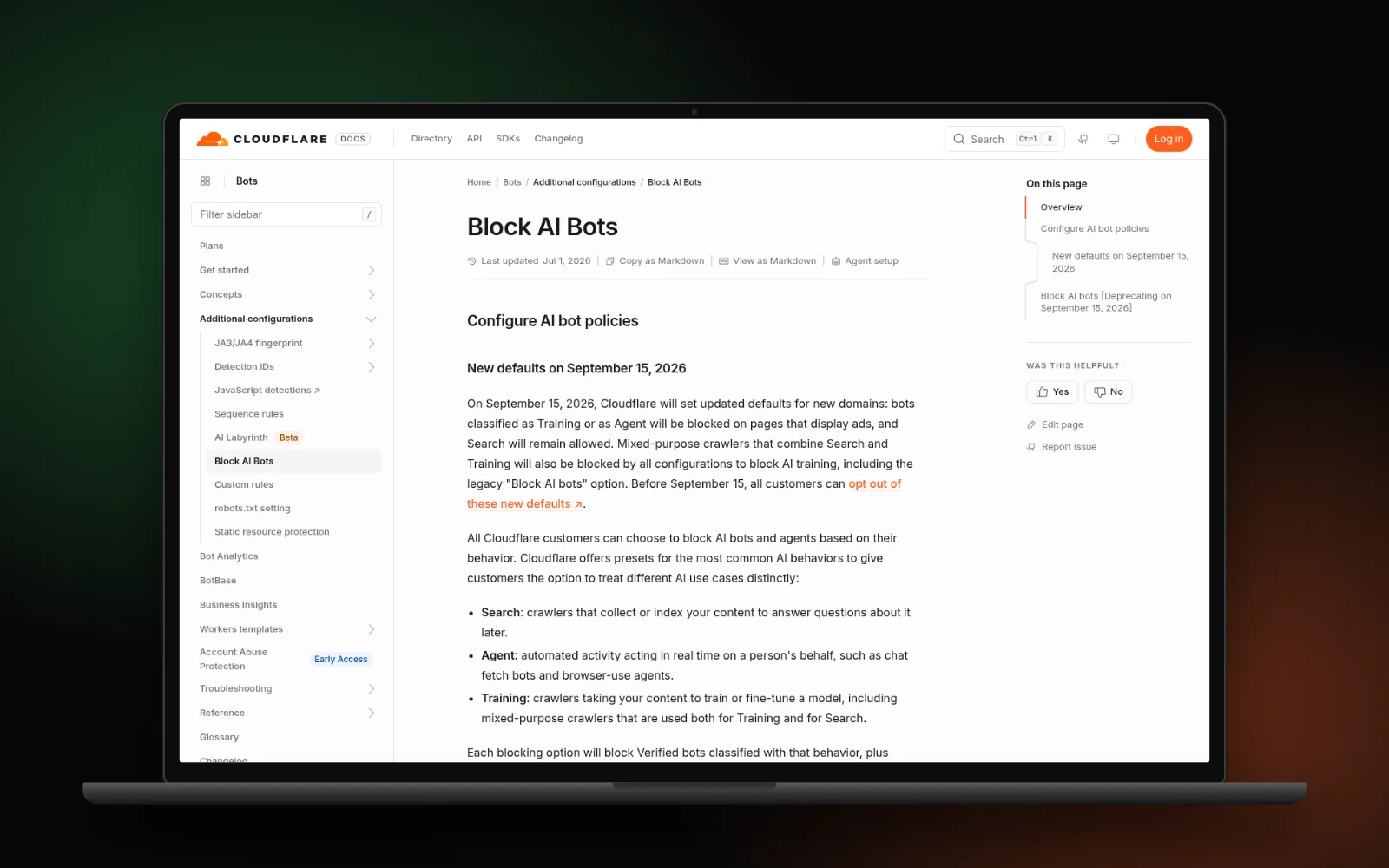
A clean robots.txt isn’t enough if something in front of your site turns the crawler away. OpenAI’s help page says your host or content delivery network (CDN) must allow traffic from its published search-bot IP addresses.
- Cloudflare: its AI bot settings let site owners block AI crawlers by type, such as search, agent or training. Check that search crawlers aren’t set to Block.
- Hosting firewalls and security plugins: look for “block bots” or “block AI crawlers” options and check whether they include OAI-SearchBot.
- Your web developer: ask them to search your server logs for “OAI-SearchBot”. Visits from it, and no blocked requests, are a good sign.
Step 4: Say what you do and where, in plain words
A crawler can only use the words it finds. If your homepage says “quality you can trust” and nothing else, ChatGPT has nothing to match against “boiler repair in Croydon”.
- Put your business name, main service and the towns you serve in the first lines of your homepage.
- Give each main service its own page that answers the obvious questions: what it costs, how fast you come, which areas you cover. Our guide on how to write a service page shows the layout.
- Keep that text in the page itself, not only in images, PDFs or pop-ups.
- Add LocalBusiness structured data with the same name, address, phone and hours. Google documents it for its own results. OpenAI doesn’t say whether ChatGPT reads it, so treat it as tidy labelling, not a shortcut. Our local business schema guide shows how to set it up.
Step 5: Get listed where ChatGPT looks
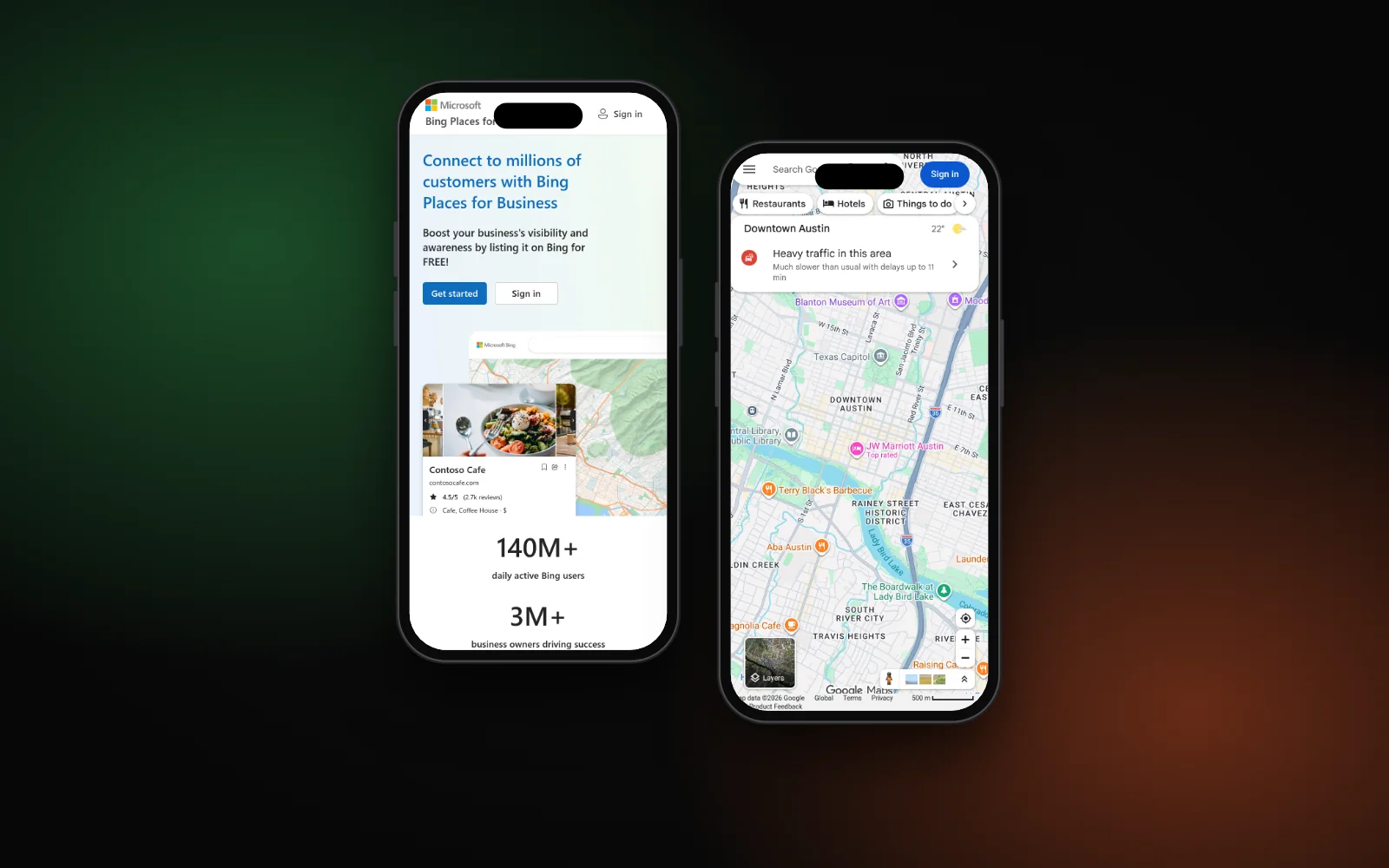
ChatGPT doesn’t only read your website. OpenAI’s help page says ChatGPT search “sometimes partners with other search providers” and points to Microsoft’s privacy statement for how those queries are handled. It also says ChatGPT may share your location with “trusted third-party providers” for things like nearby business listings, and that restaurant answers can show availability from OpenTable, Resy or Yelp.
- Claim your free Bing Places for Business listing, since Microsoft is one of the providers OpenAI names.
- Keep your Google Business Profile, Yelp and trade directory listings accurate and identical. Our post on whether ChatGPT uses your Google Business Profile explains what is and isn’t confirmed.
- Use exactly the same business name, address and phone number everywhere.
Step 6: Earn mentions on other websites
Go back to the Sources you noted in step 1. They show which websites ChatGPT trusts for your trade and town, and they’re often directories, local news sites, “best of” lists and review sites rather than business homepages.
- Get listed on the directories it cites, if they’re genuine and relevant.
- Ask happy customers for honest reviews on the platforms that appear.
- Offer useful local stories or expert comments to local news and trade sites.
Don’t buy links or fake reviews. Google’s spam policies treat bought links as spam, and fake praise can come back to bite you on any platform. The same method works for Perplexity, as our guide to ranking in Perplexity as a local business shows.
For a wider pass across ChatGPT, Perplexity and Google AI features — crawl access, matching facts and live prompt tests — use our AI visibility checklist.
When to get help
If your robots.txt is clean, the crawler isn’t blocked and you still never appear, the gap is usually content and mentions, and that takes steady work. Our AI search optimisation service covers all six steps. Or start with the free Search Gap check to see where you show up on Google, Maps and AI answers. We typically reply within 1–2 business days.