


Google says there’s no limit on how long a meta description can be. It cuts the snippet off as needed, usually to fit the screen. So instead of counting characters, write one unique, specific summary per page and put the most important point in the first sentence.
Last checked against Google Search Central’s snippet, title link and robots meta tag docs, and Search Console Help: 2 Nov 2026.
What Google actually says
Google’s snippet documentation is short on numbers and clear on intent:
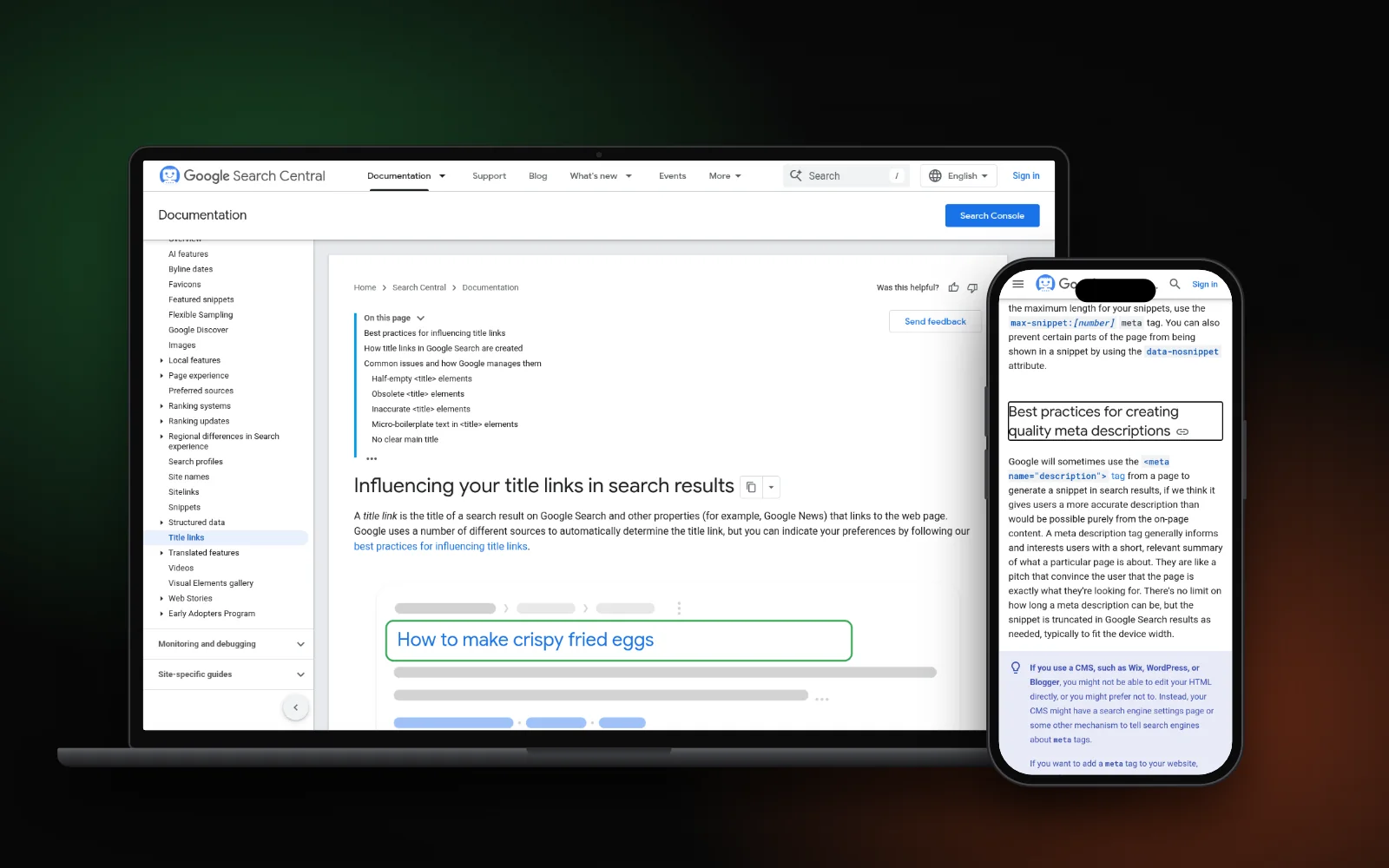
- No length limit: “There’s no limit on how long a meta description can be, but the snippet is truncated in Google Search results as needed, typically to fit the device width.”
- Unique per page: identical or similar descriptions on every page “aren’t helpful”. If you can’t write them all, start with your home page and most popular pages.
- No keyword lists: descriptions made of long strings of keywords “are less likely to be displayed as a snippet”.
- Facts are welcome: it doesn’t have to be one sentence. Product details, author or date can go in too.
Nowhere does Google give an ideal character count. Any number you see online is someone’s estimate of how much fits on a screen.
Why Google often ignores your description
Many owners write a careful description and then see different text in the results. That’s normal. Google says snippets are “primarily created from the page content itself”, and it uses the meta description only when it might describe the page more accurately. Snippets are also matched to each search, so the same page can show different text for different queries.
So a description isn’t a guarantee. It’s your best offer of a summary. The clearer your page content is, the better both options look.
A practical target (our house style)
Because Google truncates by screen width, a shorter description has a better chance of showing in full, especially on phones. At Search Lift we aim for about 150 characters. That’s our own working habit, not a Google rule. What matters more:
- Front-load the answer. Put the service, place and main benefit in the first sentence, so a cut-off still makes sense.
- Write for one page. Mention what’s actually on that page, not your whole company.
- Use plain words people search. Say “boiler repair”, not “thermal solutions”.
- Skip the stuffing. One natural mention of the main phrase is enough.
- Don’t promise what the page doesn’t deliver. If you mention prices or same-day visits, the page must show them.
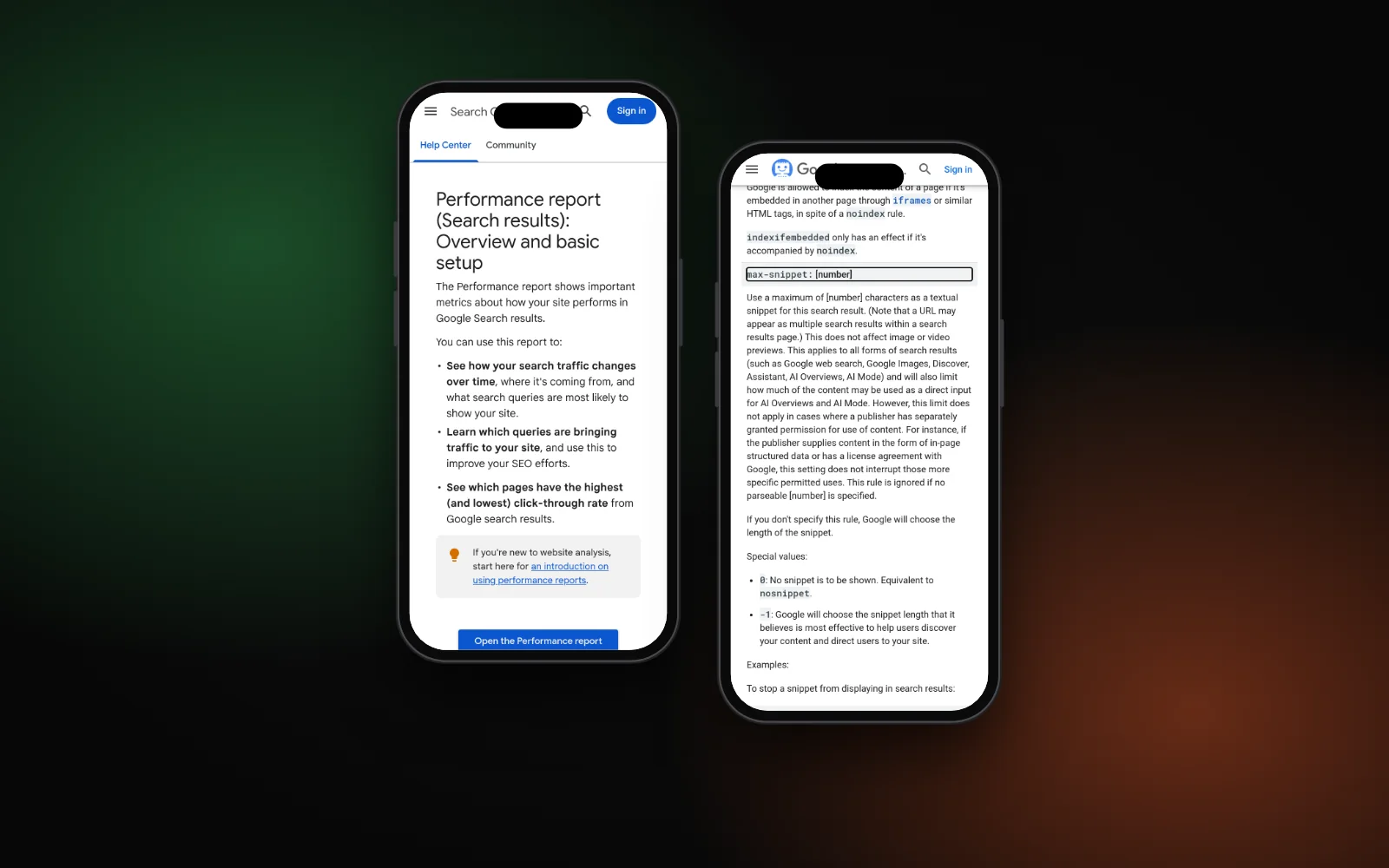
If you want to cap length, Google’s robots meta tag supports max-snippet:[number], which sets a maximum number of characters for the text snippet. Most small business sites don’t need it.
Title tags follow the same rule
Google’s title link documentation says the same about titles: “there’s no limit on how long a <title> element can be”, but it’s truncated to fit the device width. It also asks you to:
- write “descriptive and concise” titles and avoid vague ones like “Home”;
- avoid keyword stuffing and repeated boilerplate across pages;
- add your brand concisely, at the start or end, with a delimiter such as a hyphen, colon or pipe.
Google may build the title link from your main heading or other prominent text if the title tag is missing, vague or inaccurate. For service pages, our guide on how to write a service page shows a matching title and H1. For the full answer on title length, rewrites and checks, read how long a title tag should be.
Before and after: a plumber’s service page
This is a made-up example to show the method, not a real client or result.
Before (keyword list, says nothing specific):
Plumber, plumbing, emergency plumber, best plumber, cheap plumber, Leeds plumber, plumbing services.After (one page, front-loaded, plain facts):
Emergency plumber in Leeds for burst pipes, leaks and blocked drains. Gas Safe registered, upfront call-out fee shown before we book.The “after” version describes one page, names the place and the jobs, and only claims what the page shows. For more on trade sites, see plumbing website SEO. If you serve several towns, our post on location pages explains why copying one description across town pages backfires.
How to check what Google shows
- Search for the page. Try the words a customer would use and look at the text under your title. It may change from query to query.
- Use Search Console. The Performance report shows clicks, impressions and CTR (clicks divided by impressions) for each page and query. A page with many impressions and few clicks is a good candidate for a clearer title and description.
- Give it time. Google has to recrawl the page to notice changes, which its title link doc says “may take a few days to a few weeks”. You can ask Google to recrawl key pages.
If you use Wix or WordPress, both let you set these tags without code; see Wix vs WordPress for SEO. If a page isn’t showing at all, the problem is indexing, not the snippet: read why Google crawled your page but won’t index it.
Need a hand?
Rewriting titles and descriptions from your Search Console data is part of our local SEO service, and our technical SEO work covers indexing and snippet settings. To see where you show up on Google, Maps and AI answers, run the free Search Gap check. We typically reply within 1–2 business days.